Before you start
- Git integrations are available on Team plan workspaces.
- You need workspace permission to manage integrations.
- Create the repository connection in Ouraboard first, then configure Bitbucket webhook.
- Repository owner and name must match Bitbucket workspace/repository exactly.
Step 1: Connect repository in Ouraboard
- Open Workspace Settings → Git.
- Set provider = Bitbucket.
- Fill:
- Repository owner (for
bitbucket.org/acme/my-repoit isacme) - Repository name (for
bitbucket.org/acme/my-repoit ismy-repo) - Webhook secret (or use Generate)
- Default branch (usually
main)
- Repository owner (for
- Click Connect.
- Copy full Webhook URL from connected repository row.
Step 2: Create Bitbucket webhook
- Open repository in Bitbucket.
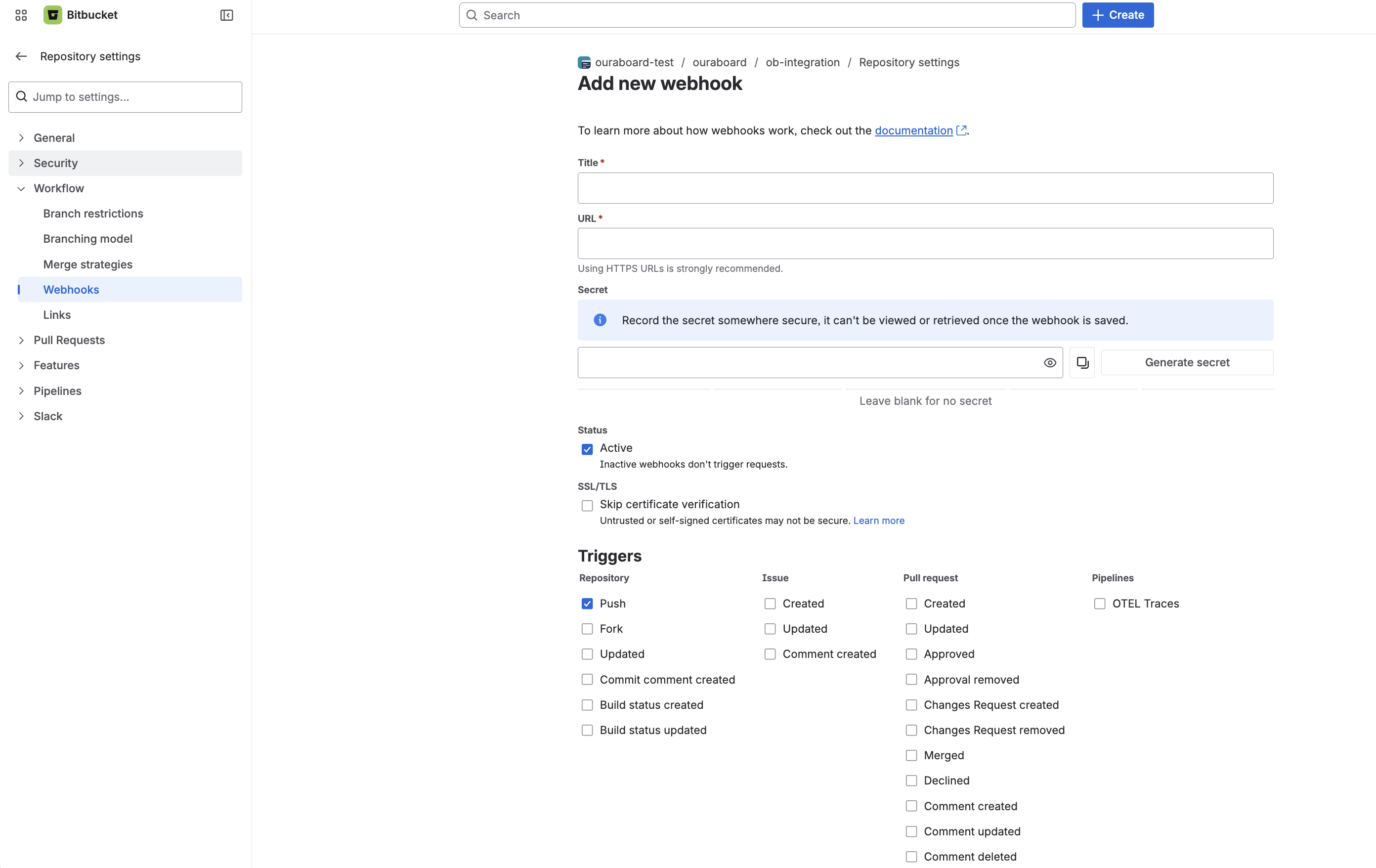
- Go to Repository settings → Webhooks.
- Create webhook and paste URL copied from Ouraboard.
- Add the same secret value you set in Ouraboard.
- Select events:
- Repository push
- Pull request created / updated / merged
- Save webhook.
Step 3: Verify end-to-end
- Create or pick issue in Ouraboard (example slug:
PRJ-123). - Push commit with slug in message (example:
fix: PRJ-123 bitbucket test). - Optionally create PR with slug in title or description.
- Open issue → Development tab and verify linked activity.
Issue linking rule
Use issue slug in commit messages or pull request text (example: PRJ-123) to attach activity to the issue.
Recommended commit formats
fix: PRJ-123 correct webhook signature checkfeat(PRJ-456): add PR auto-move guarddocs: update setup notes [PRJ-789]
If no issue slug is found, the push/PR is stored but not linked to any issue.
Default branch behavior
- Issue linking works on any branch.
- Default branch is used only when branch guard for auto-move is enabled.
Security checks
- Incoming signature/secret must match.
- Unregistered repositories are rejected.
- Duplicate payloads are ignored.
Troubleshooting
Webhook repository does not match configured integration: check owner/repo fields in Ouraboard against Bitbucket repository URL.- 401/403 signature or secret failures: ensure webhook secret is identical in both systems.
- If you archived the integration and created a new one, update Bitbucket to the latest webhook URL and secret from Ouraboard.
- No issue linked: verify commit/PR includes issue slug (for example
PRJ-123). - If only branch-like strings are detected, review commit format and keep slug explicit in message title.
Screenshot